How GigSentry Helps You Win
Stop manually refreshing Upwork. Let GigSentry monitor for you and alert you the moment opportunities appear.
Custom Job Searches
Define your perfect job criteria
Set keywords, hourly rates, fixed budgets, client countries, experience levels, and more. Create unlimited searches tailored to your skills.
Instant Notifications
Get alerted immediately
Receive unlimited Telegram notifications the moment a matching job is posted. Be among the first to apply.
24/7 Monitoring
Never miss an opportunity
GigSentry works around the clock, even when you're sleeping or busy with client work. Focus on delivering value, not hunting for jobs.
See It In Action
Everything you need to find and win Upwork jobs, right in your pocket.
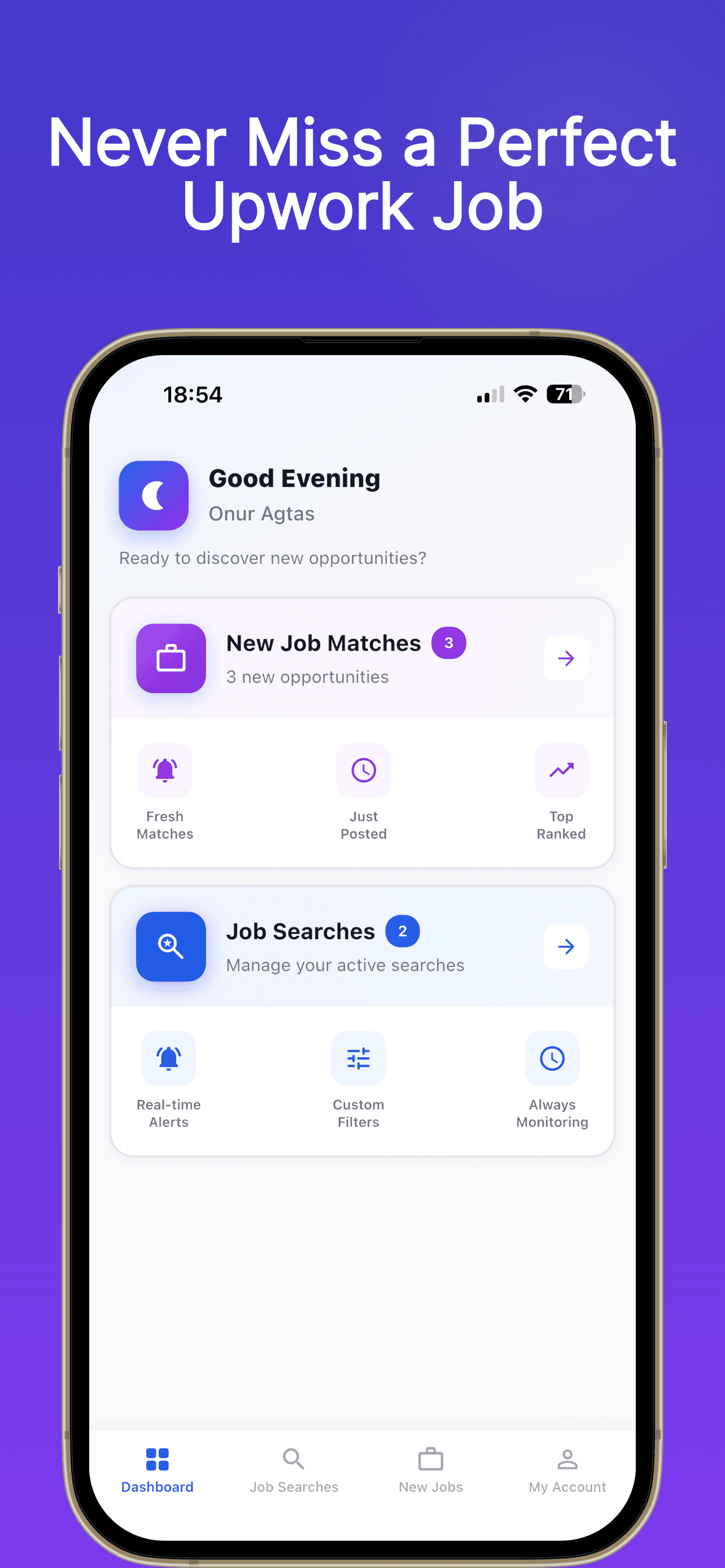
Your Job-Hunting Command Center
The moment you open GigSentry, you see what matters — new job matches waiting for you, your active searches, and a count of fresh opportunities posted since your last visit. No noise, no manual refreshing. Just the jobs that fit your criteria, ready to act on.
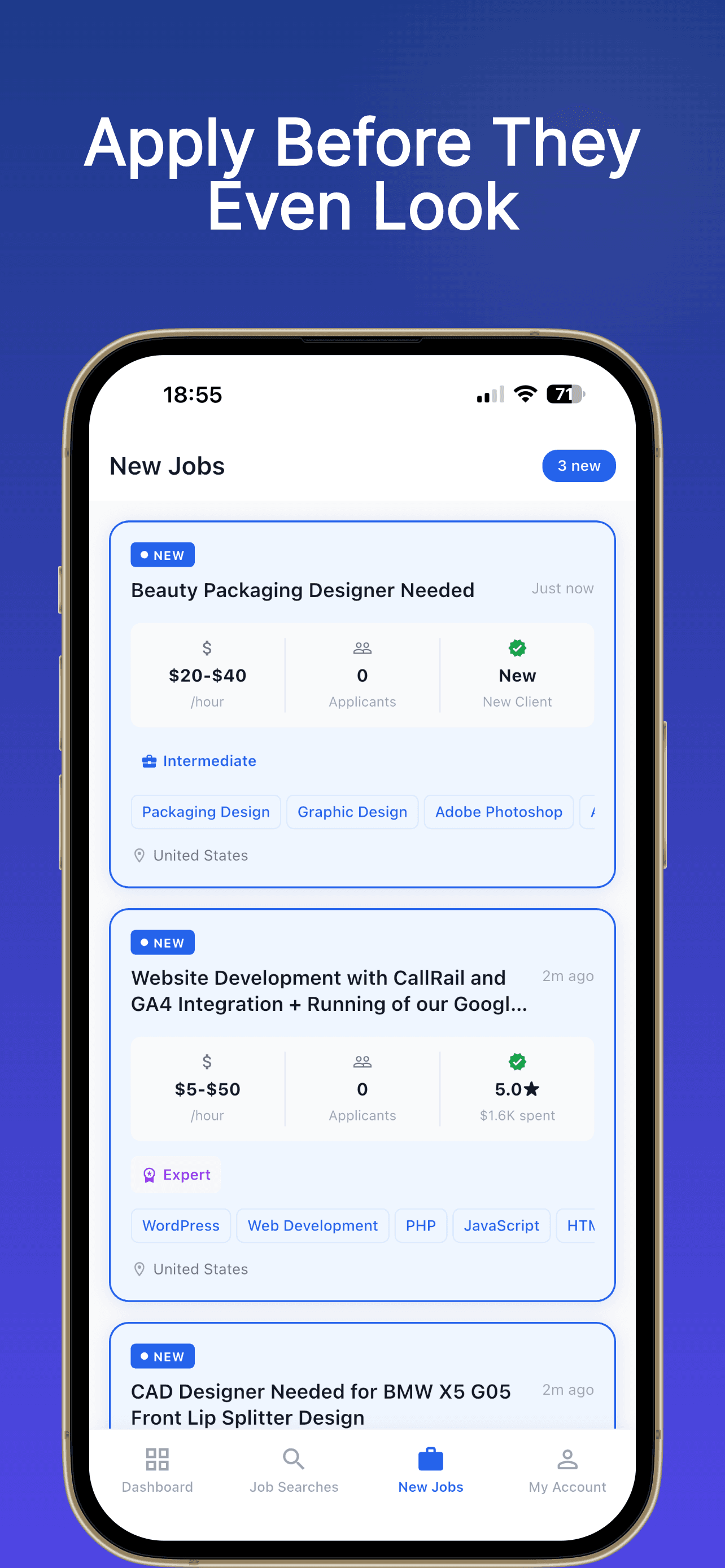
Apply Before They Even Look
Every new job that matches your search appears in your feed instantly. See the budget, how many applicants have already applied, whether the client is new or experienced, and the required skills — all before you even tap the listing. Make faster decisions and get your proposal in while the job is still fresh.
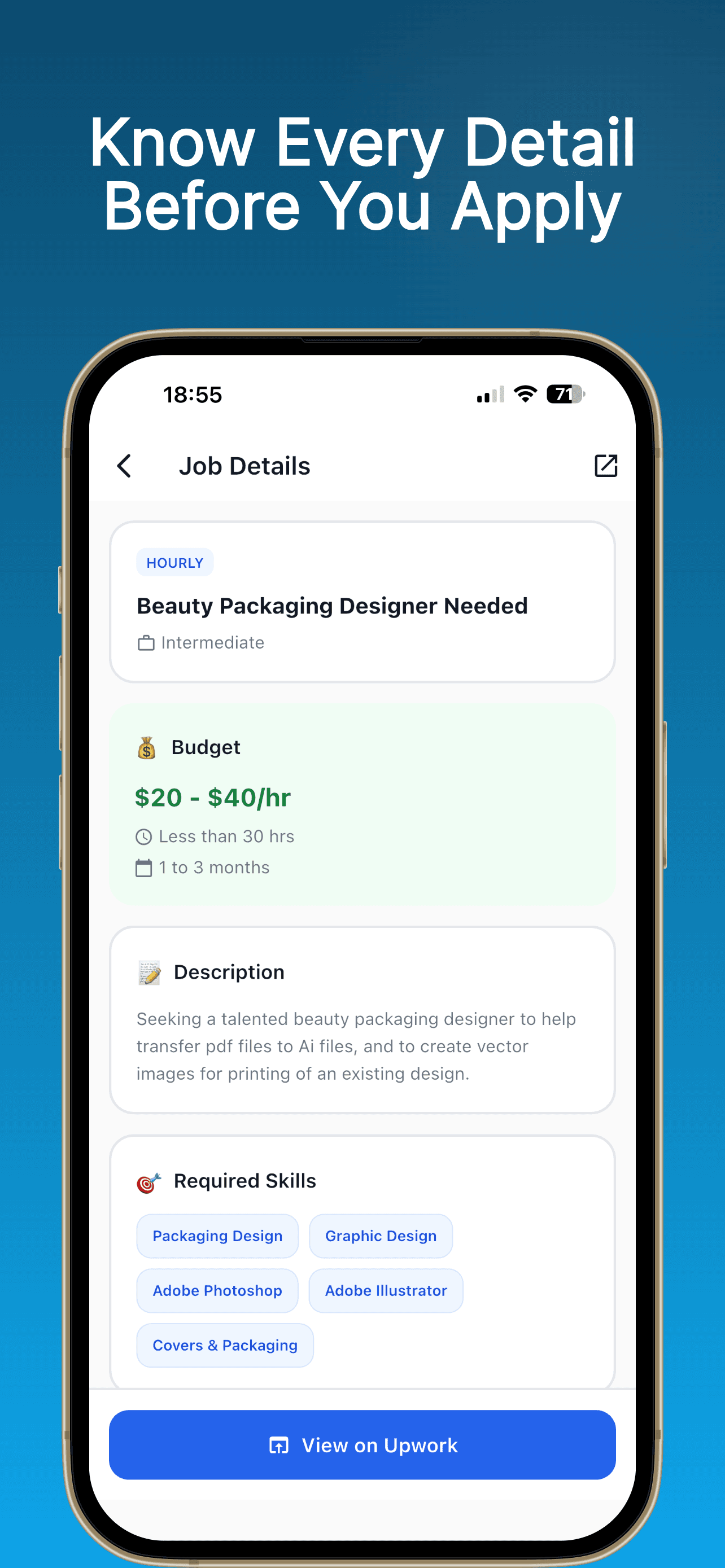
Know Every Detail Before You Apply
Tap any job and get the full picture in one clean view — hourly rate or fixed budget, project length, a full description, and every required skill listed clearly. No jumping between tabs or back-and-forth with Upwork. Everything you need to write a sharp, targeted proposal is right there.
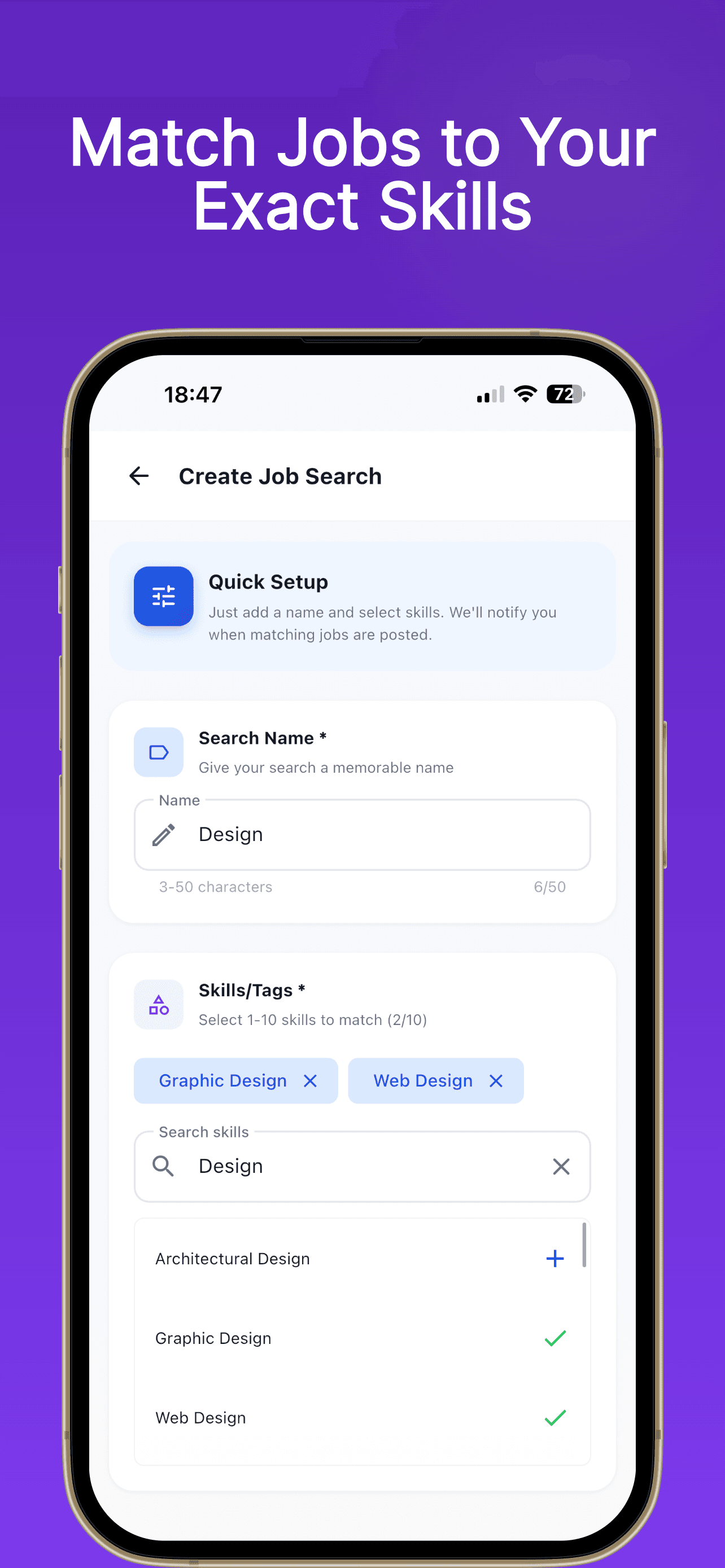
Match Jobs to Your Exact Skills
Setting up a search takes less than a minute. Give it a name, select the skills you want to target, and GigSentry gets to work immediately. You can be as broad or as specific as you like — one search for your primary niche, another for a side skill you want to grow. Your searches run 24/7 in the background.
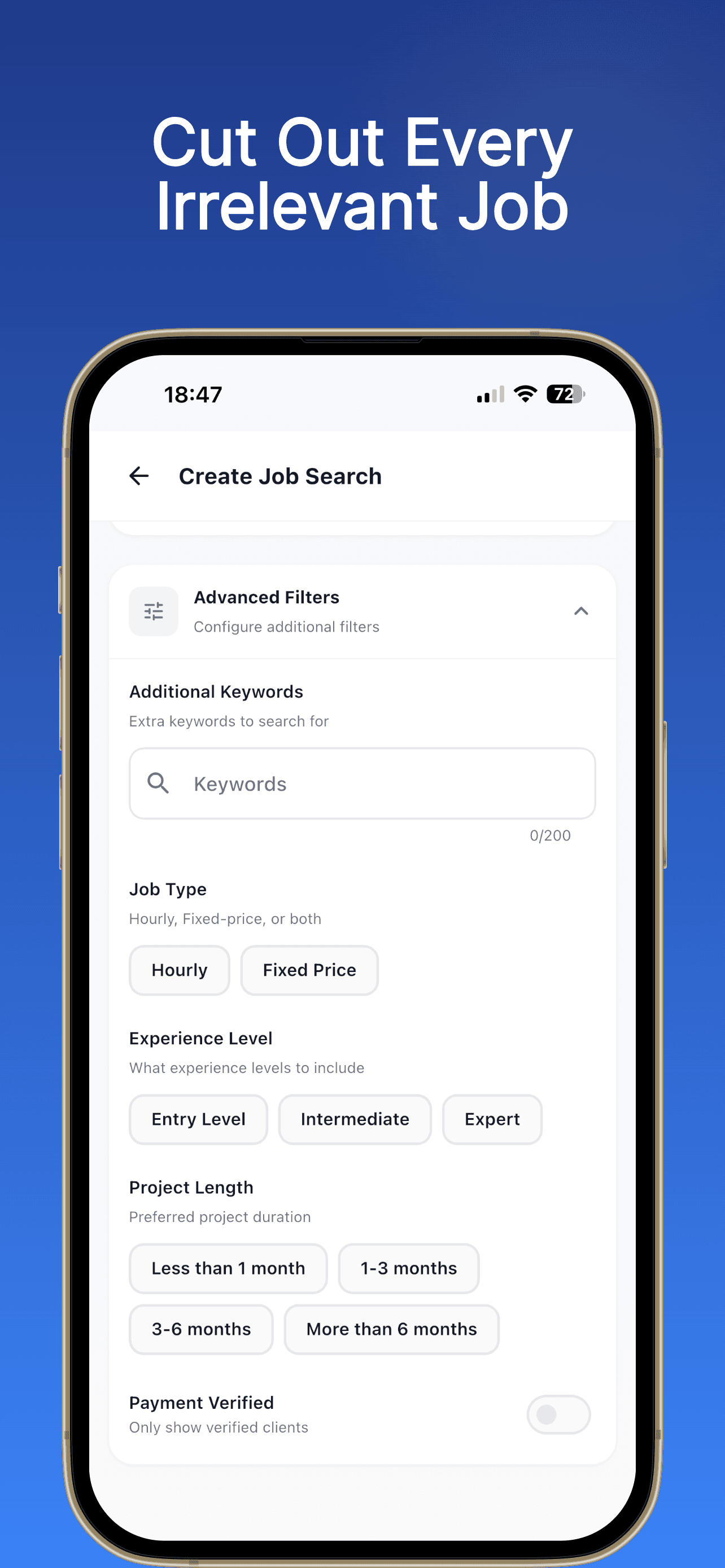
Cut Out Every Irrelevant Job
Beyond skills, you can filter by job type (hourly or fixed price), experience level required, preferred project length, and whether the client is payment-verified. The more precisely you define what you're looking for, the less time you spend dismissing jobs that were never a good fit in the first place.
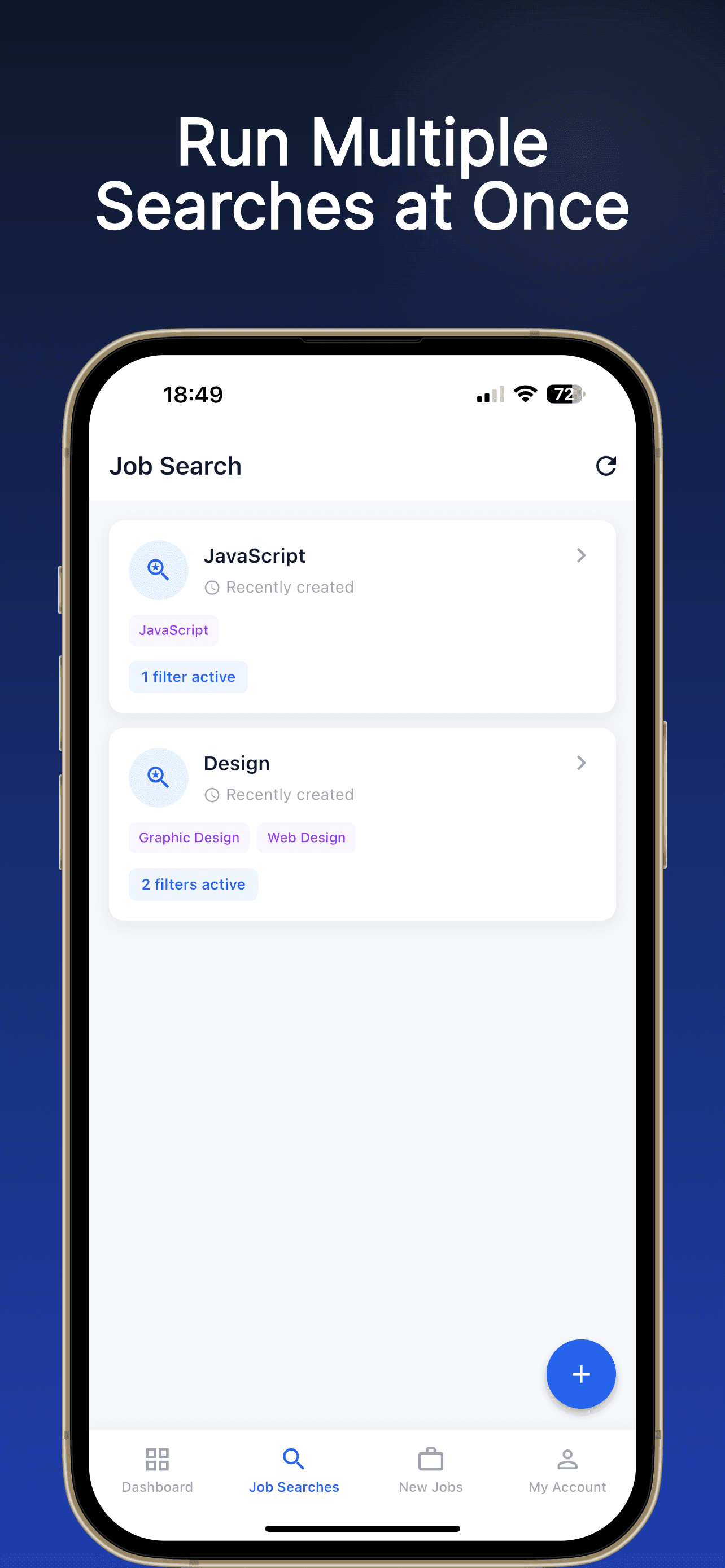
Run Multiple Searches at Once
Most freelancers have more than one skill set. GigSentry lets you run as many searches as you need — a JavaScript search, a design search, a copywriting search — all active simultaneously. Each one monitors independently and notifies you the moment a matching job appears, no matter which search found it.
Ready to Land More Gigs?
Join freelancers who are reacting faster and winning more opportunities on Upwork.